
SWES ONLINE
SOIL, WATER, AND ECOSYSTEM SCIENCES ONLINE
Online Degrees and Certificate Programs
The University of Florida Department of Soil, Water, and Ecosystem Sciences offers fully online programs at the bachelor's, master's, and graduate certificate levels:
- Bachelor of Science in Interdisciplinary Studies: Environmental Management in Agriculture and Natural Resources
- Master of Science in Soil, Water, and Ecosystem Sciences, Environmental Science Track
- Master of Science in Soil, Water, and Ecosystem Sciences, Agroecology Concentration
- Graduate Certificate Programs:
Designed to Fit Your Schedule, Your Location, Your Life
No matter where you live, you have the opportunity to earn a degree or certificate from the Department of Soil, Water, and Ecosystem Sciences. The Distance Education program uses state-of-the-art online learning tools and course management systems to bring the classroom to your home. Using high-speed internet connections, students interact with classmates and instructors in real-time from anywhere in the United States as well as around the world. A variety of digital learning materials and tools facilitate the learning process, and chat sessions connect students to instructors and allow live discussions of course material.
Message from the Distance Education Coordinator
-
Samira H. Daroub
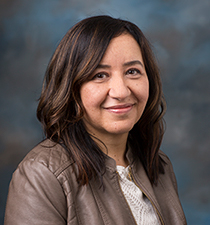 Soil and Water are vital resources in urban, agricultural, and natural ecosystems. The Department of Soil, Water, and Ecosystem Sciences (SWES) provides highly visible leadership in teaching, research, and extension/outreach programs as related to improving the productivity of agriculture with environmentally sound management practices, improving water quality, and protection and conservation of natural resources. Our department is one of the few in the nation that offers comprehensive research and educational programs (molecular to landscape level) involving terrestrial, wetlands, and aquatic ecosystems of the landscape. The SWES distance education programs are designed to meet the changing needs of traditional and non-traditional students at state, national and international levels. As you explore our offerings, reach out to the contacts below with any questions you may have.
Certification and Licensure Statement
-
Certification and Licensure
National Licensing and Certification
The curriculum for the University of Florida’s Soil, Water, and Ecosystem Sciences online programs (B.S. in Interdisciplinary Studies-Environmental Management in Agriculture and Natural Resources, M.S. in Soil, Water and Ecosystem Sciences, or Graduate Certificates) MAY help students achieve national certification/licensure in one or more professional organizations, including, but not limited to:
- The Soil Science Society of America's Associate Professional Soil Scientist (APSS) or Certified Professional Soil Scientist (CPSS)
- The Society of Wetland Scientists' Wetland Professional In Training (WPIT) or Professional Wetland Scientist (PWS)
- The Ecological Society of America's Ecologist in Training, Associate Ecologist, or Ecologist.
- The American Institute of Hydrology's Profession Hydrologist Certification
- The National Registry of Environmental Professionals' Certified Environmental Scientist
Successful completion of the University of Florida’s Soil, Water, and Ecosystem Sciences online programs does NOT guarantee certification in any of the above organizations, due to additional requirements each may have for certification (such as fees, testing, professional work experience, etc.). Students can find more information at the links above and seek out advice from the organization's certifying professional(s) if they are interested.
State Licensing and Certification
The University of Florida’s Soil, Water, and Ecosystem Sciences is in the process of determining whether its curriculum for its online programs meet the education requirements for any state-level certification/licensure. Currently, no determination has been made for the following states:
AL, AK, AR, AS, AZ, CA, CNMI, CO, CT, DE, FL, GA, GU, HI, ID, IL, IN, IA, KS, KY, LA, ME, MD, MA, MI, MN, MS, MO, MT, NE, NV, NH, NJ, NM, NY, NC, ND, OH, OK, OR, PA, PR, RI, SC, SD, TN, TX, UT, VT, VA, WA, WV, WI, and WY.
This list covers all 50 states and territories under the 34 CFR 668.43(a)(5)(v) Public Notifications requirement.
Contacts
-
B.S. Interdisciplinary Studies: Environmental Management in Agriculture and Natural Resources
- Heather Enloe, Undergraduate Advisor for IS-EMANR, 352-294-3147, scurry@ufl.edu
- Michael Sisk, Academic Advisor III – Undergraduate Programs, 352-294-3152, mjsisk@ufl.edu
-
M.S. Programs
- Samira H. Daroub, Distance Education Coordinator, sdaroub@ufl.edu
- Michael Sisk, Academic Support – Graduate Programs, 352-294-3152, mjsisk@ufl.edu
-
Certificate Programs
- Michael Sisk, Academic Support – Graduate Programs, 352-294-3152, mjsisk@ufl.edu